 Skip to content

Process website requests directly entering 4planning




From filled-in form to direct succession
- Automatically receive requests in 4planning
- All form data clearly summarised in one place
- No data to retype manually
- Assign and track requests easily
- Faster from request to quote or project

Account manager
All for a quick and
clear Application processing
Link website forms
Receive requests automatically
Full data transfer
Assess applications
Appoint responsible employee
Create a customer directly
Offers or start project
Grip on succession
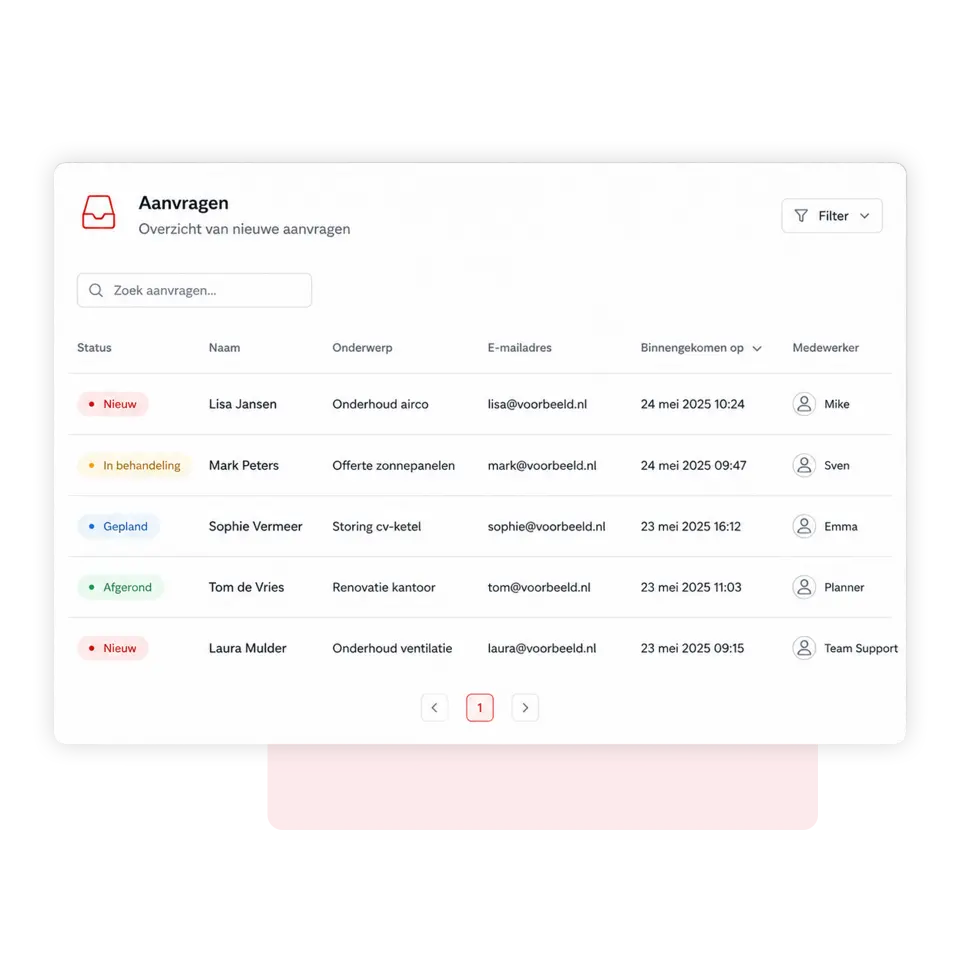
Receive all Website requests directly in the app
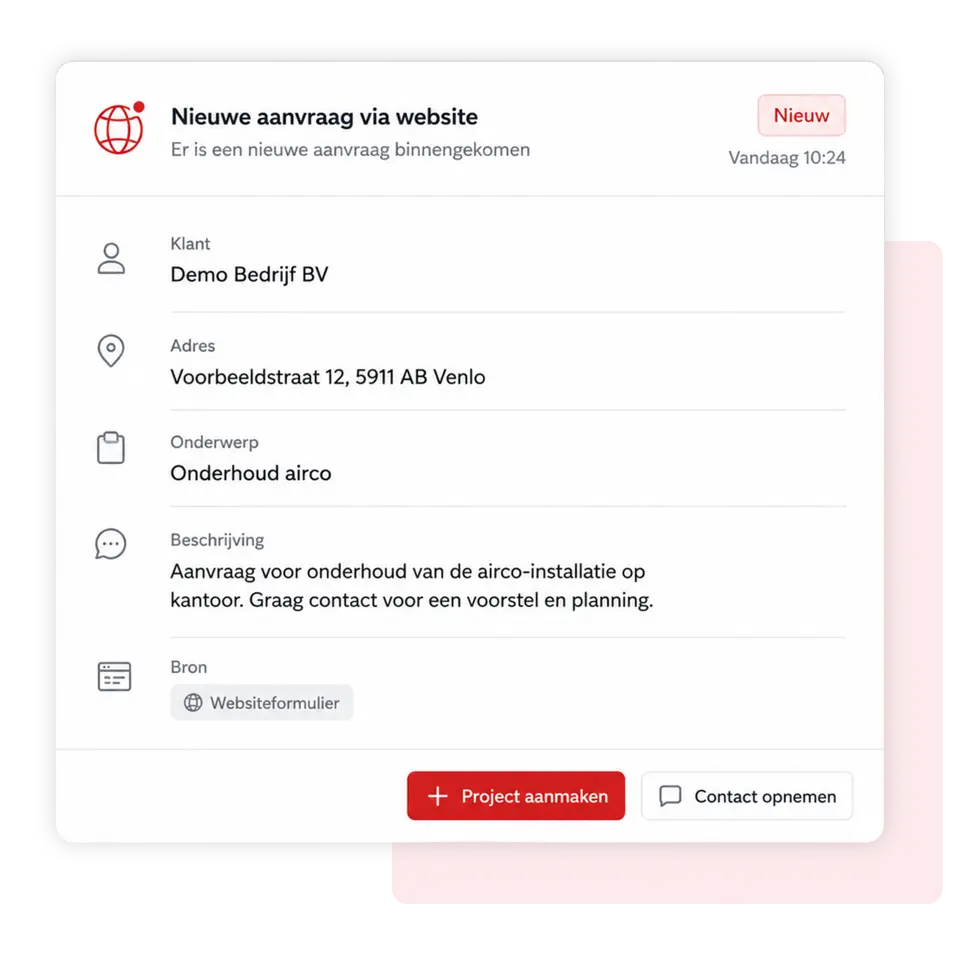
Forms on your website can be connected to 4planning via a simple API or webhook integration. As soon as someone fills in a form, the data is automatically forwarded and the request appears directly in the app. This means you are no longer reliant on separate emails and don't need to manually transfer information.
You decide for yourself which fields from the form are sent, such as name, company name, email address, phone number, address, desired date, subject, and explanation. From 4planning, your team can then assess, assign, and directly convert the request into a customer, quote, task, or project. This creates one clear workflow from the initial website contact to further execution.
Get insight into your results Website requests
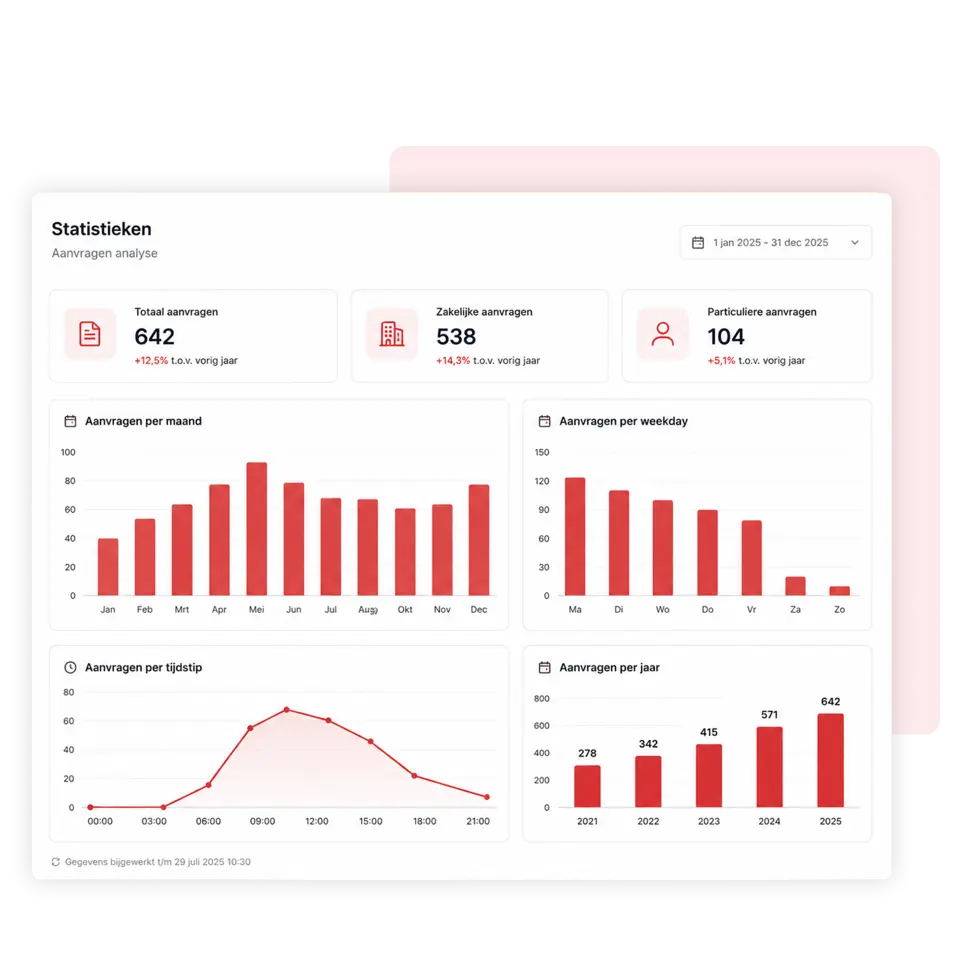
See how many requests come in via your website, which topics are chosen most often, and how requests are followed up. Easily filter by period, status, form, or responsible employee and discover where most opportunities are coming from.
You can immediately see how many requests are new, in progress, or completed, and how many have been converted into customers, quotes, or projects. This gives you more control over your follow-up, helps you recognise trends, and enables you to focus on increasing conversion rates.

Met 4planning!
Create your own app entirely without obligation and start organising your organisation more efficiently straight away!
- 3-month free trial
- Cancelable monthly
Simply switch to 4planning. Import your existing customer data and easily set up your environment so you can get back to work immediately without having to rebuild everything manually.
We're happy to help!
 Nederlands
  English (UK)
  Deutsch
  CRM & Customer Management
 Quotes & approval
 Projects & Planning
 Service & Maintenance
 Requests via website
 Materials and stock
 Customer communication
 Automation & AI
 Your company app
 Matches & results
 Bar staff rotas
 Referees' planning
 Agenda and attendance
 Internal communication
 Contributions & payments
 Tickets & admission
 Family accounts
 Sponsors
 Events & attendance
 Connections & Introductions